Top 18 Gradient Wallpapers For Your iPhone
- Elevate your iPhone’s style with these gorgeous gradient wallpapers.
- Discover why gradients are the ultimate choice for a sleek, functional, clutter-free home screen.
- Read on to get access to 18 of our top gradient wallpapers of 2024 — 100% free!
Looking to refresh your iPhone’s look?
Gradient wallpapers are the perfect way to add a splash of color and elegance to your screen. With their smooth transitions and vibrant hues, these wallpapers can make your home screen stand out, offering a visually pleasing experience every time you unlock your phone. Below are the top 18 gradient wallpapers that will give your iPhone a stunning new look.
How to Download These Wallpapers
Want to get these wallpapers onto your iPhone 16? It’s easy! Here’s how:
- Tap the image above for the wallpaper you like.
- Save the image to your phone.
- Set it as your wallpaper by going to your iPhone settings, selecting "Wallpaper," and choosing the saved image.
Why do Apple users love gradient wallpapers so much?
Gradient wallpapers are a fantastic choice for iPhone users who want to strike a balance between aesthetics and functionality. One of the key advantages of using a gradient wallpaper is its ability to enhance legibility on your screen. Unlike complex or highly detailed images, gradients provide a smooth transition between colors without creating too much visual noise. This ensures that your icons, text, and widgets remain clearly visible, allowing you to navigate your iPhone with ease. The subtle shift in hues helps your eyes focus on the content without distraction, making it easier to read notifications and app labels at a glance.
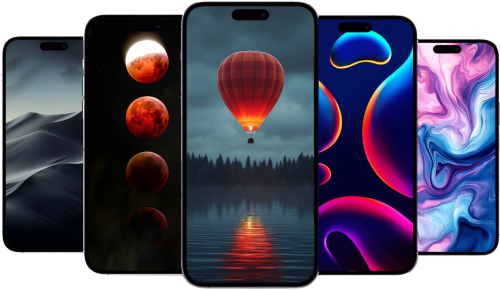
Another reason to consider gradient wallpapers is their versatility in color choices, allowing you to match or contrast with your app icons and themes effortlessly. Whether you prefer a minimalist aesthetic with subtle tones or a vibrant, eye-catching look, gradients can cater to your taste while keeping the overall appearance of your home screen balanced and uncluttered. The smooth transitions in color also provide a dynamic, lively feel without overpowering the elements on your screen, making your iPhone interface not only more beautiful but also more user-friendly.
Recommended by the editors:
- No More September iPhones? Apple's Strategy Shift Changes Everything
- 2026’s Top 250+ Wallpapers: The Ultimate Collection for iPhone, Android & More
- iPhone 18 Rumors: Apple Reportedly Testing Under Display Face ID
- Foldable iPhone Could Be Apple’s Most Expensive Phone Ever At $2,399
- 200+ Best Winter Wallpapers for iPhone & Android (Free 4K/HD)
Published to Apple Scoop on 24th August, 2024.