Free Download: All iPhone 16e Stock Wallpapers in High Resolution
- Apple dropped some slick new wallpapers for the iPhone 16e—but you don’t need to buy the phone to get them.
- Forget hunting for them—here’s exactly where to download the official iPhone 16e wallpapers, free and in full quality.
- Ready to refresh your iPhone’s look in seconds? Keep reading.
Apple’s iPhone 16e is here, and while the entry-level model keeps things simple with a no-frills approach to features, one area where Apple never skimps is the wallpaper selection. One of the simplest ways to personalize any iPhone is by changing the wallpaper, and Apple has once again delivered a selection of high-quality designs that make full use of the iPhone 16e’s edge-to-edge display.
But you don’t need to own an iPhone 16e to enjoy these wallpapers. Whether you’re using an older iPhone or another model from the iPhone 16 lineup, these backgrounds are available to download and look great on any device.
Official Apple Default Wallpapers for iPhone 16e (HD)
Apple iPhone 16e Default Stock Bubbles Black Wallpaper Most Popular Wallpapers 2025 HD Wallpapers for iPhone or Android
Apple iPhone 16e Default Stock Wallpapers Iridescent Bubble Purple Blue HD Wallpapers for iPhone or Android
Apple iPhone 16e Default Stock Wallpapers Iridescent Bubble Blue HD Wallpapers for iPhone or Android
Apple iPhone 16e Default Stock Wallpapers Iridescent Bubble White HD Wallpapers for iPhone or Android
Apple iPhone 16e Default Stock Wallpapers Iridescent Bubble Vibrant Blue HD Wallpapers for iPhone or Android
Apple iPhone 16e Default Stock Wallpapers Iridescent Bubble Gray Grey HD Wallpapers for iPhone or Android
Apple iPhone 16e Default Stock Wallpapers Iridescent Bubble Gold HD Wallpapers for iPhone or Android
Apple iPhone 16e Wallpaper With Apple Intelligence Glow HD Wallpapers for iPhone or Android
Apple iPhone 16e Default Stock Wallpaper Modified Gold Yellow Bubble Wallpapers for iPhone or Android
More iPhone wallpapers
How to Change Your Wallpaper on iPhone
Updating your background is simple:
- Open Settings
- Tap Wallpaper
- Select a New Wallpaper
- Browse Apple’s default collection or upload an image from your Photos app
- Choose whether to apply it to the Lock Screen, Home Screen, or Both
These wallpapers are optimized for the iPhone 16e, but they scale well on older iPhones too, including iPhone 16, 16 Plus, 16 Pro, 16 Pro Max, iPhone 15 models, iPhone 14 models and many more.
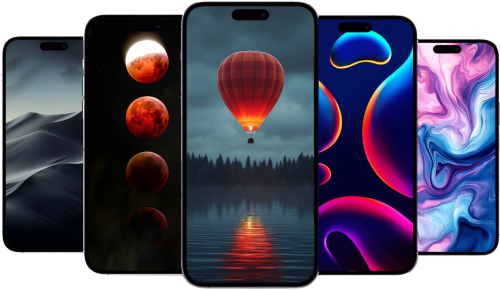
Apple’s Stock iPhone 16e Wallpapers
Apple has a long history of creating striking, high-resolution wallpapers for its devices, often using gradients, abstract shapes, and vivid colors to highlight new display technology. The iPhone 16e’s wallpapers are no exception. Designed to complement the phone’s OLED screen, they feature a mix of bright hues, soft textures, and deep contrasts that make icons and widgets stand out. Centered around an iridescent bubble design, the iPhone 16e's default wallpapers are sure to catch eyes.
If you want the official wallpapers that come preloaded on the iPhone 16e, Apple includes them in the wallpaper settings, but they can also be downloaded separately and applied to any iPhone.
Handpicked Wallpapers for the iPhone 16e (and Any iPhone)
While Apple’s built-in wallpapers are always well-designed, some users prefer to customize their home screens with something different. Whether you like minimalism, bold colors, or nature photography, there are plenty of options that look just as stunning on the iPhone 16e as they do on other iPhones. Check out some of our other iPhone wallpapers here.
Where to Find iPhone 16e Wallpapers
- iPhone Settings – The default Apple wallpapers can be found under: Settings → Wallpaper → Choose a New Wallpaper
- Direct Downloads – High-quality versions of the wallpapers can be found on this article (and in our wallpapers section) for use on other iPhone models.
A Simple Way to Refresh Your iPhone
Changing your wallpaper is an easy way to make any iPhone feel fresh again. Whether you use one of Apple’s official designs or download something unique, the right wallpaper can enhance your phone’s overall look and feel.
Even if you’re not planning to upgrade to the iPhone 16e, you can still enjoy its sleek, modern aesthetics by applying its wallpapers to your current device.
Recommended by the editors:
- No More September iPhones? Apple's Strategy Shift Changes Everything
- MacBook Pro M6 OLED Rumors: Release Date, Price, Features, and More
- 2026’s Top 250+ Wallpapers: The Ultimate Collection for iPhone, Android & More
- iPhone 18 Rumors: Apple Reportedly Testing Under Display Face ID
- Intel Could Finally Return to Apple Computers in 2027
Published to Apple Scoop on 7th March, 2025.