Exclusive Stock iPhone 16 Wallpapers You Can Download Right Now
- Apple’s sleek new wallpapers don't have to be just for iPhone 16 owners.
- Ready to refresh your iPhone’s look? Here’s how to get Apple’s latest designs.
- Missed the iPhone 16 event? We’ve got the wallpapers everyone’s talking about.
- Your iPhone doesn’t have to be new to look brand-new! Let these wallpapers do the trick.
We have split this article into two sections—iPhone 16 and 16 Plus default wallpapers first, followed by iPhone 16 Pro and 16 Pro Max wallpapers a little further down.
Default wallpapers for iPhone 16, iPhone 16 Plus:
More iPhone 16 wallpapers
Default wallpapers for iPhone 16 Pro, iPhone 16 Pro Max:
More iPhone 16 Pro wallpapers
Stock Wallpapers for iPhone 16
Apple’s default wallpapers have become iconic over the years, setting the tone for each new iPhone model. For the iPhone 16 lineup, Apple didn’t hold back. The wallpapers presented during the keynote are finely tuned to match the iPhone 16’s advanced display, maximizing clarity, color depth, and contrast.
How to Access and Apply the New Wallpapers
It's no surprise that Apple makes it effortless to customize your home screen and lock screen. Want to switch things up? Here's how:
- Go to Settings
Open the Settings app on your iPhone. - Select Wallpaper
Choose "Wallpaper" from the settings menu. - Pick a New Wallpaper
Browse through the default collection or use one of your saved images (if you want to use one of the images you saved from us, choose the latter option). - Set It as Your Background
After selecting the image, choose whether you want it on your home screen, lock screen, or both.
It's that simple.
Use With Any iPhone
While these wallpapers were designed with the iPhone 16, 16 Plus, 16 Pro, and 16 Pro Max in mind, the good news is that any iPhone user can easily install them without any issues. Although Apple optimized them for the iPhone 16's hardware, they’ll still look stunning on any iPhone model.
Whether you’re using an older iPhone or the latest version, these wallpapers will adapt seamlessly to your device, allowing you to enjoy the same visual experience. Apple ensured that these wallpapers enhance the display, regardless of the model you’re using. So if you’re craving the fresh aesthetics of the iPhone 16 without upgrading, you can still bring that new look to your current phone.
Setting the Perfect Mood on Your iPhone 16
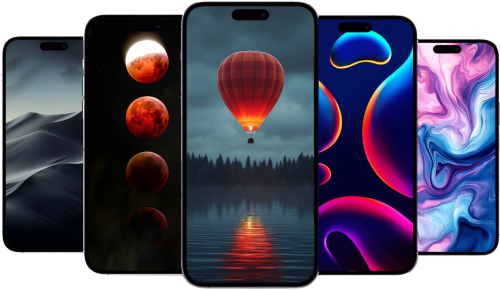
Your wallpaper isn't just a background; it’s a reflection of your personality and taste. Whether you prefer something energetic or tranquil, Apple’s curation of wallpapers has something for everyone.
If you’ve been contemplating switching up your wallpaper, you might be surprised how much of an impact it can have on the overall feel of your device. Apple’s default wallpapers offer more than just aesthetics; they breathe life into the OLED panel, making every interaction feel more immersive.
A Personal Touch for Every User
There’s something uniquely satisfying about personalizing your phone with a new wallpaper. It’s an easy way to inject personality and make your phone truly feel like it’s yours. Whether you lean toward abstract designs or nature-inspired visuals, Apple’s iPhone 16 wallpapers cater to a wide range of tastes.
Feel free to experiment—your home screen should spark joy every time you unlock your phone!
Recommended by the editors:
- No More September iPhones? Apple's Strategy Shift Changes Everything
- 2026’s Top 250+ Wallpapers: The Ultimate Collection for iPhone, Android & More
- iPhone 18 Rumors: Apple Reportedly Testing Under Display Face ID
- Foldable iPhone Could Be Apple’s Most Expensive Phone Ever At $2,399
- 200+ Best Winter Wallpapers for iPhone & Android (Free 4K/HD)
Published to Apple Scoop on 20th September, 2024.