iPhone 17: 10 Hidden Features You Never Knew Existed
- Think you’ve mastered your iPhone 17? These hidden tricks will surprise you!
- Learn about Center Stage, screening unknown callers, Live Translation, Adaptive Power and more.
- Ready to upgrade your iPhone experience? Find out how to unlock these lesser-known iPhone 17 features.
The iPhone 17 headlines are flashy—a new chip, a shinier finish, better cameras—but the real charm lives in the smaller upgrades. The features Apple barely mentioned that end up changing how your phone feels at 7 a.m., on the train, or in a noisy café. Think smarter selfies, calmer battery habits, and tools that step in before you even ask. Here are ten low-key additions in iOS 26 that earn their keep day after day—no hype, just useful.
1. Center Stage Selfies—Without Turning Your Phone
 Photo via Apple // Horizontal and vertical Center Stage selfies on iPhone 17.
The new square front sensor can frame a wider, landscape-style selfie even while you’re holding the phone upright. When friends crowd in, the view expands automatically so no one’s half-in, half-out.
Try it: Camera → front camera → tap the Center Stage icon → toggle Auto Zoom and Auto Rotate.
2. Call Screening With a Live Transcript
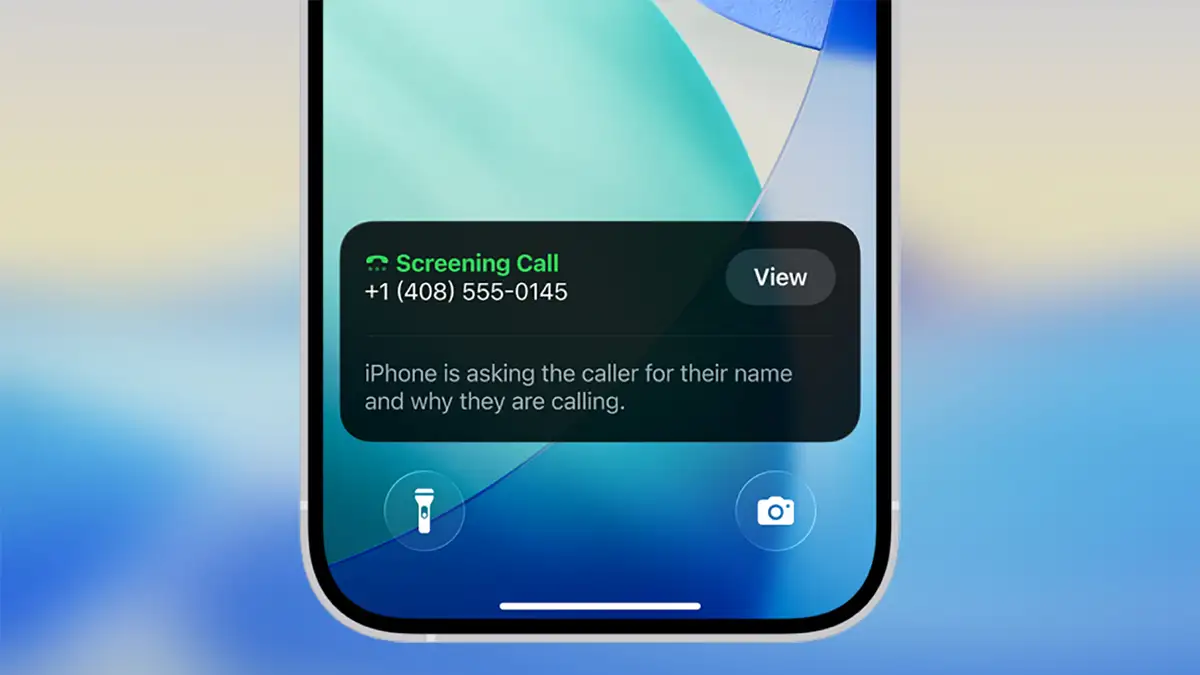 Photo via TechRadar // Apple's new Call Screening feature on iOS 26.
Unknown number? Your iPhone asks who’s calling and why, then shows the transcript in real time so you can jump in—or let it go. It’s voicemail, but immediate.
Turn it on: Settings → Apps → Phone → Ask Reason for Calling.
3. Apple Games
There’s a new hub called Apple Games that gathers your titles, progress, and smart picks across iPhone, iPad, and Mac. On 17 Pro models, the vapor chamber helps heavy games run steadier.
Open the app: It’s installed with iOS 26.
4. Live Translation… Right in Your AirPods
 Photo via ZDNET // Live Translation with Apple AirPods.
With Apple Intelligence on and supported AirPods (AirPods 4 with ANC, AirPods Pro 2/3), you’ll hear near-instant translations while someone speaks to you. It’s almost eerie how natural it feels.
Set up: Settings → your AirPods → Languages → open Translate, tap Live, choose languages.
5. Adaptive Power
 Photo via iDownloadBlog // Adaptive Power on an iPhone 17.
A new power mode quietly trims background activity and tames brightness when work gets heavy, squeezing extra minutes between charges without you babysitting it.
Find it: Settings → Battery → Power Mode → Adaptive Power.
6. Location-Based Charging That Learns Your Routine
If you usually charge overnight at home, iPhone 17 learns that rhythm and reduces time sitting at 100%, which is better for long-term battery health.
Check it: Settings → Battery → Battery Health & Charging → Optimized Battery Charging (make sure location learning is enabled).
7. Clipboard Alerts
Did you know that certain apps available on the App Store have secretly been reading your clipboard for years? It's a bit creepy, and it's not fully known why some of these companies are collecting our clipboards without our knowledge or consent. Now, if an app tries to read what you copied, you’ll see an alert with the app’s name. Handy when you’ve got passwords or private notes on the clipboard.
Controls: Settings → Privacy & Security → Clipboard Access.
8. Per-App Network Isolation
Lock a finicky app to Wi-Fi only, or force another to cellular only. It’s great for limiting data-hungry services or keeping travel eSIMs tidy.
Route it: Settings → Privacy & Security → Network Permissions → choose app.
9. Live Captions Across the System
 Photo via MacRumors // Live Captions in iOS 26.
Not just FaceTime anymore—audio from videos, calls, and many apps gets captioned on the fly. It’s one of those accessibility features everyone ends up using.
Enable: Settings → Accessibility → Captions & Subtitles → Live Captions.
10. PWM Flicker Relief (17 Pro Only)
If screen flicker gives you headaches, the 17 Pro adds a display option that reduces PWM discomfort. Subtle change, big difference for sensitive eyes.
Look for it: Settings → Accessibility → Display & Text Size (PWM/flicker reduction toggle).
Final thoughts
The iPhone 17 isn’t only about raw speed—it’s about creating less friction with the iPhone experience and by extension the Apple ecosystem. Calls get filtered before they bug you. Captions appear the moment you need them. Power lasts a touch longer because the phone quietly makes better choices. Try one or two of these tonight—Center Stage selfies, Call Screening, maybe Live Translation—and you’ll feel it. And tomorrow, when your day runs smoother without you thinking about it, that’s the upgrade you actually paid for.
Recommended by the editors:
- Upcoming iPhone Air 2 Could Feature Two Rear Cameras
- iPhone 17e Leak Hints at Dynamic Island, 60Hz Display, A19 Chip, and More
- Apple Scales Back iPhone Air To 'End Of Production' Levels
- 250+ Best Free Wallpapers for All iPhone 17 Models (2025)
- 100+ Best iOS Wallpapers & Backgrounds (Free & 4K/HD)
Published to Apple Scoop on 21st October, 2025.